




26 September 2026
|
8:10:45
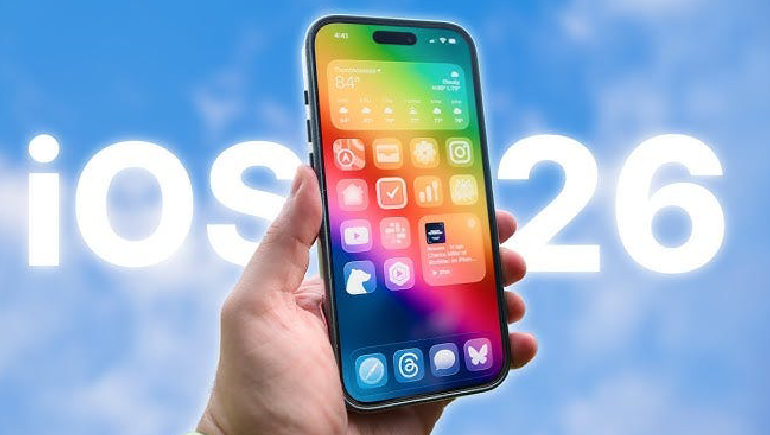
While the latest iOS 26 update introduced high-profile features like Liquid Glass and advanced AI tools, many of the most practical improvements are hidden deep within the settings. These "small" upgrades are designed to refine your daily experience, making your iPhone feel more intuitive and personalized.
Apple has finally moved past the traditional, analog-inspired 9-minute snooze. In the Clock app, you can now set a custom snooze duration between 1 and 15 minutes for each individual alarm.
You no longer need external software like GarageBand to create custom ringtones. Simply find an MP3 or M4A file under 30 seconds in your Files app, tap Share, and select Use as Ringtone to add it to your sound settings. Note that this feature is not available for Apple Music tracks.
Instead of copying an entire text bubble, you can now highlight and copy only a specific portion of a message. This is particularly useful for grabbing a single code or password from a long block of text.
Apple Maps now includes a Visited Places feature (currently in beta) that keeps a private, local record of where you have been, complete with dates and details. You can access this through your Maps Profile icon under the Places menu.
Your lock screen now removes the guesswork from charging by displaying exactly how long it will take for your battery to reach 80% and 100%. This information is visible just below the battery indicator when the phone is plugged in.
For users with an iPhone 15 Pro or later, a new Adaptive Power setting automatically adjusts performance based on your current activity. It saves energy during low-intensity tasks like streaming music but boosts performance when you are gaming or recording video.
The Photos app now features a Spatial Scenes toggle. This turns standard photos into immersive, 3D-like views that allow you to tilt your phone to explore depth and perspective.
When you take a screenshot, you can now use Visual Intelligence to instantly search for items or ask questions. By tapping the thumbnail, you can use the "Ask" button to send the image to ChatGPT or "Image Search" to find similar results via Google.
Apple Music now offers on-the-fly translations for songs in different languages. While viewing lyrics, tap the Translate These Lyrics button to see a line-by-line translation synchronized with the music.
Borrowed from popular Android features, the Phone app now supports live call screening. When an unknown number calls, you can tap Screen Call to see a real-time transcript of what the caller is saying before you decide to pick up.
If your iPhone is on a tripod for a group photo, you can now use your AirPods as a remote trigger. Simply double-tap an AirPod while the Camera app is open to snap the shot.
You can now personalize individual text threads by setting custom backgrounds. Options include solid colors, gradients, photos, or even backgrounds generated via Image Playground.
The Preview app, previously a Mac staple, is now integrated into iOS. You can open PDFs in Files or Mail to highlight text, sign documents, and rearrange pages without needing third-party software.
Navigation is now smoother with a gesture that allows you to swipe right from the middle of the screen to go back, rather than having to reach for the far left edge. This works across most stock apps like Safari, Mail, and Settings.
Even without cellular service, the Weather app can now use satellite connectivity to pull basic forecasts, including temperature and severe weather alerts, which is ideal for hikers or those in dead zones.
To prevent blurry photos, the Camera app now detects smudges or glare on your lens and will gently remind you to wipe it clean before you take a picture.
Screenshots now capture in HDR, ensuring that the vivid highlights and contrast you see on your display are preserved exactly in your saved images.
The Wallet app is expanding to support digital passports in select regions. This allows you to add your passport to your iPhone and use it at supported airports and checkpoints.
If you find it hard to make group decisions, iOS 26 also added a Polls feature directly in the Messages app. You can create a poll by tapping the plus (+) button in a chat, allowing participants to vote and see results in real time.












Comments
There are no comments for this Article.