




It plays music well. But the Apple HomePod also runs your smart home in the background, routes your Thread devices, and listens for your smoke alarm when you're not home. Here's everything it actually does.
Shopping for Apple HomePod usually starts with a simple question: how does it sound? That's a fair place to start, but it leaves out most of what the device actually does. The current HomePod (2nd generation), which launched in January 2023, works quietly as a home hub, a Matter gateway, a Thread border router, and a safety monitor, all running in the background whether you think about it or not.
This article covers what the Apple HomePod actually does beyond playing music, so you know exactly what you're getting before you buy one.
What Is the Apple HomePod?
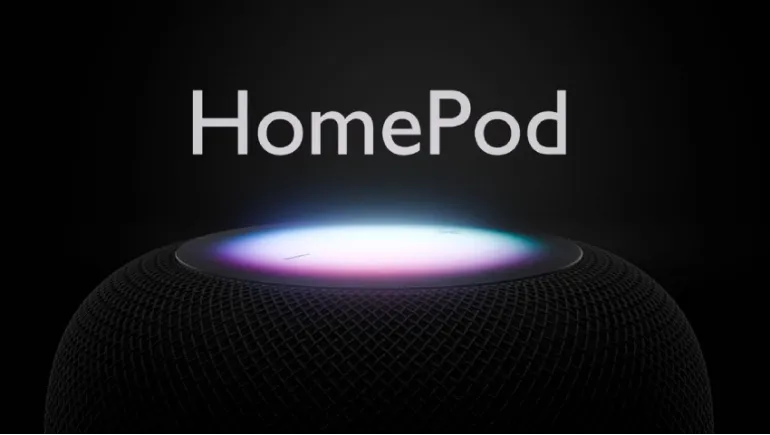
The HomePod (2nd generation) is Apple's full-size smart speaker, built around a 4-inch high-excursion woofer and an array of five horn-loaded tweeters, each with its own neodymium magnet. It supports Spatial Audio with Dolby Atmos, automatically applies Dolby Atmos mixes to compatible Apple Music tracks, and uses computational audio with real-time room sensing to tune its own output to the space it's in. A four-microphone array handles far-field Siri requests, so it can hear you from across a room even with music playing.
That's the speaker half of the story. The smart home half is where the HomePod earns the "more than a speaker" label.
Apple HomePod Smart Home Features
Out of the box, the HomePod functions as a home hub, meaning it enables remote access to your HomeKit accessories when you're away from home, letting you check and control lights, locks, thermostats, and cameras from anywhere. With iOS 18 and later, you can choose which device in your home acts as the primary Home Hub directly in the Home app's settings.
Matter and Thread Support
The HomePod also acts as a Matter gateway and includes a built-in Thread border router. Matter is a cross-platform smart home standard built to work across different ecosystems, not just Apple's, so a Matter-certified device from another brand can still be controlled through the HomePod and Siri. Thread, meanwhile, is a low-power mesh networking protocol designed specifically for smart home devices; having a Thread border router in your HomePod strengthens the reliability of your entire connected home network, not just the speaker itself.
Temperature and Humidity Sensing
The second-generation HomePod added built-in temperature and humidity sensors, a feature the original model didn't have. These readings can feed directly into HomeKit automations, letting you trigger actions, like turning on a fan or adjusting a thermostat, based on your actual indoor climate rather than guesswork.
Sound Recognition for Safety
One of the more genuinely useful background features is Sound Recognition, which listens for the specific sound patterns of smoke and carbon monoxide alarms and can alert you through the Home app if one goes off, even if you're not home to hear it yourself. This turns a speaker sitting in your kitchen into a passive safety monitor, something a typical wireless speaker simply doesn't offer.
What Can Apple HomePod's Siri Actually Do?
Siri on the HomePod goes well past playing a requested song. You can set reminders, send messages, get news briefings, and manage your calendar entirely hands-free. For the smart home specifically, a simple voice command can close a garage door, adjust the thermostat, turn on lights as you walk through the door, or trigger a saved "scene" that adjusts several devices at once, all without opening an app.
Recent software updates have added further refinements: you can now ask Siri to control a smart home device at a specific future time, like turning off the lights in ten minutes, and the HomePod now plays a confirmation tone when a smart home request completes for an accessory that doesn't visibly show the change, like a device in another room.
Home Automations: Letting the HomePod Act Without Being Asked
Beyond responding to direct commands, the HomePod can run automations that trigger based on time, location, or sensor data, without you saying a word. You can create recurring automations, like gradually turning on lights at sunrise, using nothing but your voice, and even add remastered ambient sounds into scenes, automations, and alarms through the Home app. This is the layer that turns the HomePod from "a speaker you talk to" into "a hub that quietly runs parts of your home for you."
Audio Features Beyond the Speaker Itself
Even its audio-focused features extend past simple playback. The HomePod supports multiroom audio through AirPlay, letting you ask Siri to play music to another HomePod elsewhere in the house, and two identical HomePod units can be paired into a stereo pair for fuller sound in a single room. When paired with an Apple TV 4K, the second-generation HomePod gains Enhance Dialogue, a real-time, machine-learning-based feature that makes spoken dialogue clearer over background noise and music, directly useful for movie nights where dialogue tends to get lost under a loud soundtrack.
What's Next for the Apple HomePod Lineup
It's worth knowing where things stand as of this writing. The full-size HomePod (2nd generation) hasn't been replaced since its January 2023 launch, though Apple has continued adding features through software updates, including code recently found suggesting a four-HomePod surround sound system and a new "Party Mode." Separately, a HomePod mini 2 has been widely reported as coming, expected to pair with Apple's Siri AI upgrade and a faster chip, though as of this writing Apple hasn't officially confirmed a release date. If you're specifically waiting on a major hardware refresh of the full-size HomePod, there's no confirmed timeline for one yet; the current model remains Apple's primary full-size smart speaker.
Is the Apple HomePod Worth It as More Than a Speaker?
If you're only comparing the HomePod to other wireless speakers on sound quality and price, it's a harder sell, since competitors offer comparable audio for less. But if you're already using HomeKit, or you're building out a smart home and want a genuine Matter and Thread hub baked into something you'd buy for music anyway, the HomePod earns its place by doing double duty. It's a speaker that also runs your home hub, strengthens your smart home network, and quietly watches for your smoke alarm, features a standalone Bluetooth speaker simply can't replicate.












Comments
There are no comments for this Article.