




24 October 2026
|
8:10:45
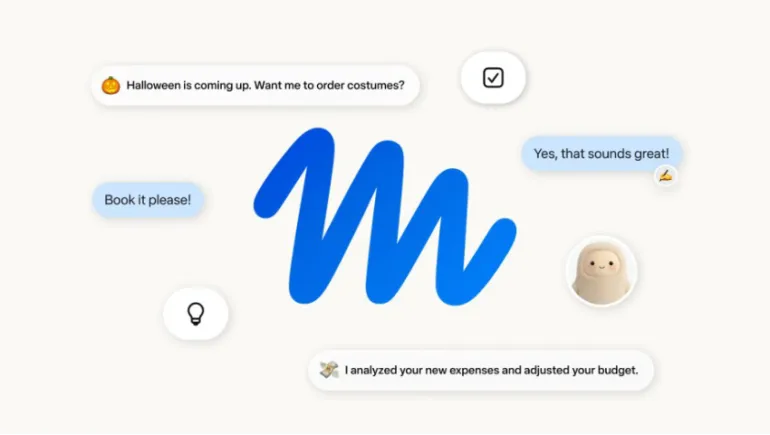
Meta has a new answer to the question "what comes after chatbots?" It's called Muse, and it doesn't just answer questions. It goes out and does things.
Meta unveiled Muse as an AI agent designed to carry out tasks on a user's behalf, advancing Mark Zuckerberg's vision of a future where everyone has a personalized AI assistant. This guide explains what Muse is, how it works, and what it can actually do for you day to day.
Muse shares its name with a series of AI models Meta's lab is developing, and Meta says it can automate a wide variety of everyday tasks, from online shopping and movie tickets to scheduling appointments and filling out school permission slips. Unlike a typical chatbot, Muse exists in a chat interface but is designed to be more proactive and long-running, and users can name their agent, create an avatar, and customize how it communicates.
In short, Muse isn't just something you ask questions. It's something you assign tasks to.
Most AI chatbots, including ChatGPT, wait for you to ask a question and answer it in a single reply. Muse works differently.
Muse can send emails, book travel, fill out web forms, and negotiate on a user's behalf, and it runs on Muse Spark, which Meta describes as its most capable model built for agentic work. Instead of a single back-and-forth exchange, Muse can take a task, work on it over time, and only come back to you when it needs approval or has an update.
Muse works by connecting to the apps and services you already use, then acting on your behalf inside them.
Muse runs on a dedicated virtual machine in Meta's cloud, using a built-in browser that's visible to the user, which lets Muse browse the web and complete tasks the way a person would. Because the browser is visible, you can watch what Muse is doing in real time rather than trusting it blindly.
The agent works by connecting to a user's apps and services, including email, calendars, payments, and other everyday tools like apps for health and fitness, smart home, dining, shopping, and music. Users choose which apps and services to connect one at a time, which is designed to make the opt-in process more transparent.
For purchases, Muse checks out using an agent wallet called Link, which is built by Stripe. Link offers purchase protections that are meant to ease concerns about letting an AI agent check out on a user's behalf, and Shopify's Shop Pay and 1Password integrations are also coming soon.
For longer, more complex tasks, like negotiating a higher price when selling a car or lowering a bill, Muse keeps working in the background after the user closes the app, and returns when something changes or it needs approval. This background persistence is one of the biggest differences between Muse and a standard AI chatbot.
Muse is designed to require approval for more sensitive actions while letting previously authorized, lower-risk tasks proceed on their own. That balance matters. Letting an agent send a routine calendar invite without asking every time is convenient. Letting it send money without checking first would not be.
Here's a closer look at what Muse can actually do once it's set up.
Muse can assist with online shopping, buying movie tickets, scheduling appointments like tennis lessons, and even filling out a permission slip for a class field trip. These are the kinds of small errands that eat up time without requiring much thought, which makes them a natural fit for automation.
Muse can turn a saved Instagram recipe reel into a grocery list, suggest a dinner-party menu, and recall guests' dietary restrictions before sending invites. This shows how Muse is built to connect directly into Meta's existing apps, not just operate as a standalone tool.
Muse can negotiate a higher selling price for a car or work on lowering a bill, continuing the task in the background until it's resolved or needs your input. This kind of task can take hours or days for a person to handle manually, which is exactly the type of job Muse is designed for.
Muse Spark, the model powering the agent, is natively multimodal, supporting text, images, video, and audio, so users can take a photo and ask Meta AI about what they're seeing.
Yes, to all three. Meta confirmed that Muse can send emails, book travel, fill out web forms, and negotiate on a user's behalf. The company also says the agent can send party invitations and make purchases using Link by Stripe for checkout.
This is the question most people ask first, and it's a fair one. Using Muse means trusting Meta with more personal information than social media ever required, since the agent connects to email, calendars, payments, and health and fitness apps.
Meta has built in a few specific safeguards to address this:
Even with these safeguards, caution makes sense. Agentic AI tools are new, and mistakes involving accidental data loss have happened with other AI agents in the past. Start by connecting lower-stakes apps first, and review what Muse does before granting it access to anything sensitive, like banking or health records.
Muse is built around a memory layer that carries context from one interaction to the next, which is part of what allows it to recall details like a dinner guest's dietary restrictions without being told again. Meta has said it's building toward giving users visibility into what the agent remembers, along with controls to review, edit, or delete that memory over time. If long-term memory matters to you, check the app's settings for these controls before relying on Muse for tasks involving personal details.
Muse is rolling out in the U.S. as a stand-alone iOS and Android app, and it's also available at muse.ai and works inside WhatsApp. It's free for most uses, with subscription plans available for people who want the agent to handle longer or more complicated tasks, and Meta says its AI glasses will support Muse soon. Meta offers a free tier as well as two paid subscription options, priced at $20 per month and $100 per month, and Meta's chief AI officer has said most users should be able to do what they need within the free tier.
Muse makes the most sense for people who want to hand off repetitive errands, like scheduling, form-filling, or price negotiation, rather than typing every request manually. If you're comfortable connecting a few everyday apps and reviewing approval requests as they come up, Muse can genuinely save time. If you're hesitant about sharing account access with an AI agent, start small: connect one low-risk app, watch how Muse handles a task, and decide from there whether to expand its access.
Muse represents Meta's biggest step yet toward a truly personal AI agent, one that doesn't just chat but actually completes tasks in the background. It combines a visible browser, an approval system for sensitive actions, and a secure checkout wallet to try to earn user trust while doing real work. Whether it earns that trust at scale will depend on how well it performs once millions of people start handing it real tasks.












Comments
There are no comments for this Article.